 VBA GUIs for Use in CorelDRAW
Export & Publish
Automatically creates JPEG, PNG, and PDF files from any number of documents.
Normally, you need to go document by document and export images or publish PDFs, sometimes even page by page if you want multiple exports from a document. This automates the process.
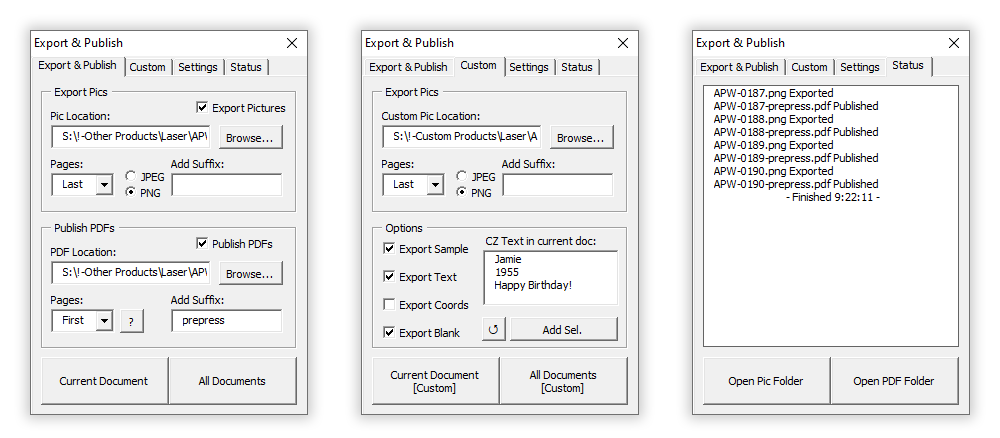
- Options for location, file type, suffix, export page(s), quantity.
- Auto-filling options based on auto-detected open product file.
- Options to adjust and export text in custom product art.
- ‘Status’ page visually updates file creation in real-time.
- Easily open destination folders.
Garment Simulation
Automatically places artwork on garment photos of all sizes, styles, and colors to simulate printed product.
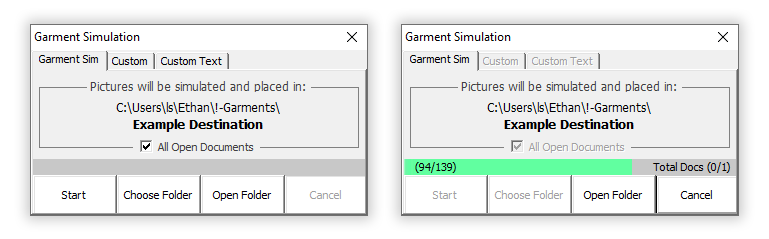
- File browser to change destination.
- Auto-filling options based on auto-detected garment type.
- Aesthetically pleasing representation of file path.
- Dynamic progress bar + informative progress tallies.
Color Replace
Recursively searches through document to replace instances of desired color.

- Searches through any number of nested object groups (represented here by dashed lines).
- Easily choose color to find and color to replace by using selected object colors or by selecting with standard color-picker interface.
- Options for searching entire document or only selected objects.
- Options to replace fills and/or outline colors in found objects.
Set Size
Set any number of selected objects to the largest size that will fit within specified dimensions.

- Honors object groups (as seen on left).
- Sets all selected object sizes at once.
- Option to use selected container to automatically fill in desired dimensions.
- Option to determine size as if inscribing objects inside an ellipse.
Auto Import
Not VBA, but AutoIt, which is another BASIC-like so it’s in a similar ballpark. Made to automate input for Roland ErgoSoft RIP software.
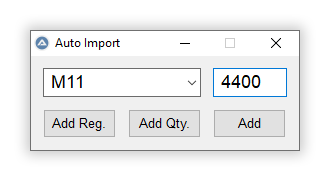
PDFs are placed into the RIP software as needed to print on sublimation paper or vinyl. Since they go from the printer to the CNC machine to be cut out, they need registration marks for the CNC to recognize.
Normally, the process of placing PDFs into the RIP software is very slow and requires tedious file browsing and repitition. This program automates the majority of that.
All that’s needed is to select the product name, enter the SKU, and go. A string is procedurally built to determine the file path and input is sent to window controls in the RIP software to automatically import the file.
With logic for quantity! For example: The PDF for one of the products is naturally 4-up since we do packs in multiples of 4 and that’s what fits best on a sheet. Entering a quantity of ‘16’ imports 4 files. Not super complex but pretty nifty.
- Hotkeys for quick and easy input.
- Quantity option for importing multiple files.
- Quick registration file detection and import.
- ‘Control Send’ instantly sends string to window control, much faster than sending keystrokes.
All source code can be found at e-thab/VBA
Not mentioned by name, but a true hero in all programs above: extensive, grueling, boring exception handling.